Πάρα πολλά παράθυρα για διαχείριση; Μεγάλη οθόνη; Ή μερικές φορές χάνεσαι σε πολλαπλές οθόνες; Το HazeOver είναι για σένα! Αυτή η εφαρμογή αναδεικνύει αυτόματα το μπροστινό παράθυρο μειώνοντας τη φωτεινότητα όλων των παρασκηνιακών παραθύρων.
Η τρέχουσα έκδοση απαιτεί macOS 12 Monterey ή νεότερη. Δες άλλες εκδόσεις. Δοκιμάστε με το Setapp

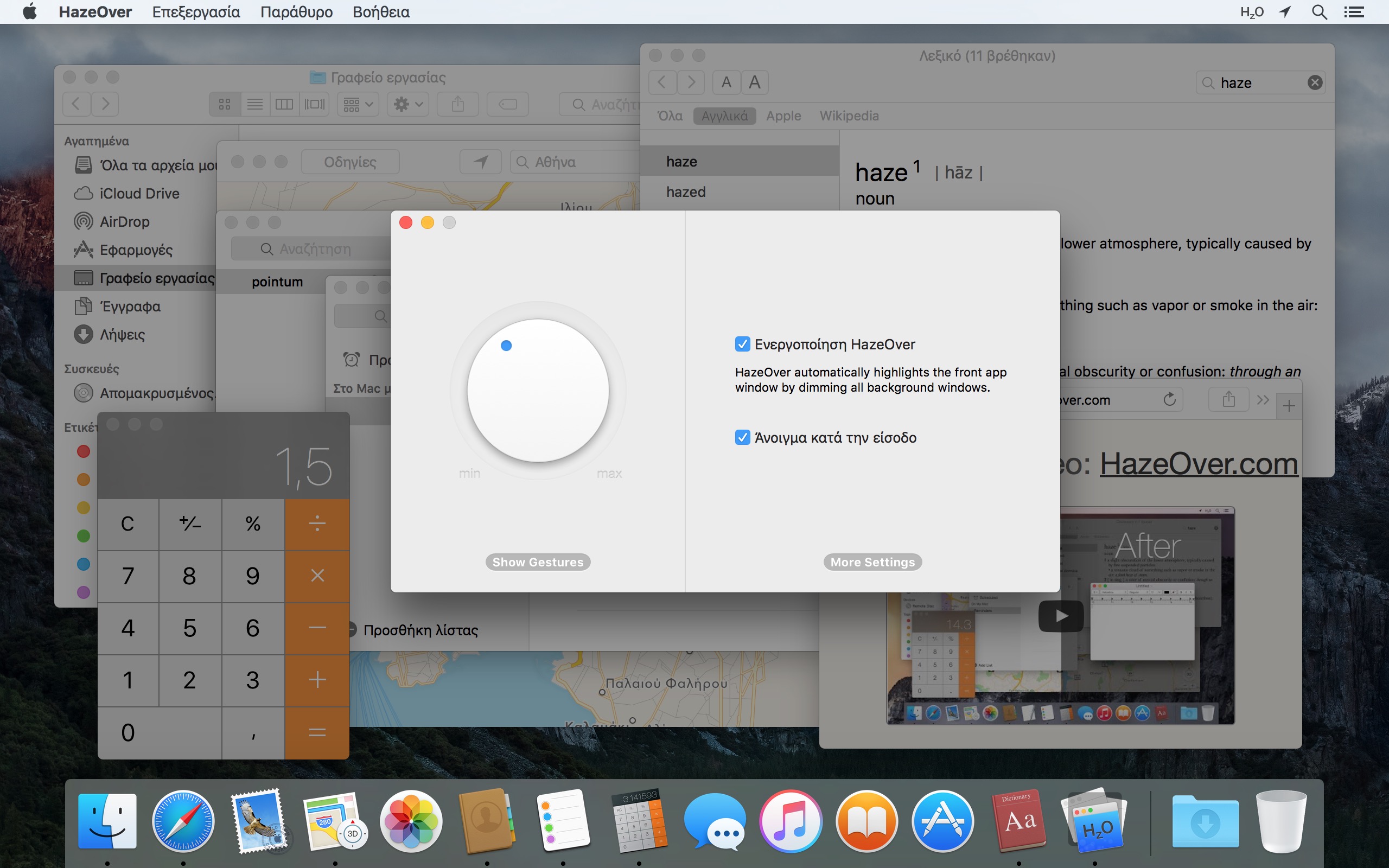
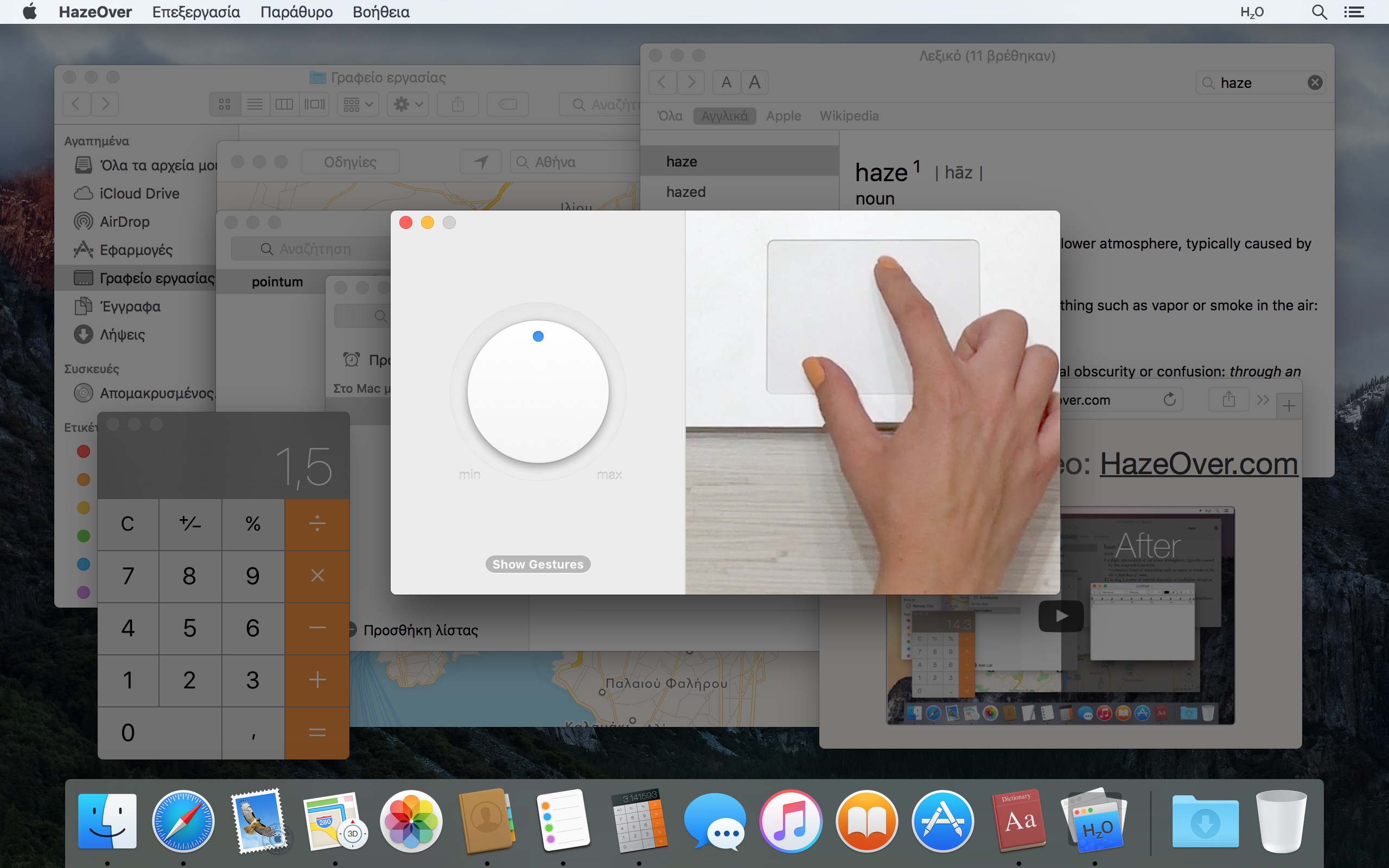

Παρακολούθησε το βίντεο επίδειξης για να δεις το εφέ εξασθένισης παραθύρων σε δράση
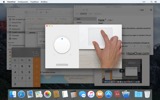
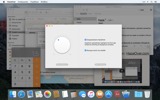
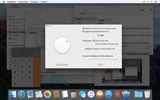
Πώς να Αυξήσεις την Παραγωγικότητα στο Mac με το HazeOver
- Βοήθησε τον εαυτό σου να εστιάζει σε ένα πράγμα κάθε φορά. Αυτόματα.
- Πέρνα λιγότερο χρόνο διαχειριζόμενος παράθυρα. Η ακαταστασία δεν θα σε ενοχλεί πια. Δεν χρειάζεται να ελαχιστοποιήσεις, κλείσεις ή κρύψεις παράθυρα για να κρατήσεις τον χώρο εργασίας σου καθαρό και τακτοποιημένο.
- Όχι άλλο πληκτρολόγηση στο λάθος παράθυρο λόγω χαμηλής αντίθεσης.
Γνωρίζεις πάντα ποιο παράθυρο είναι ενεργό. - Έχεις μεγαλύτερη οθόνη; Τότε η πλήρης οθόνη μπορεί να έχει λιγότερο νόημα.
Το HazeOver σε βοηθά να αποφύγεις να αισθανθείς κατακλυσμένος από πάρα πολλά παράθυρα. - Πολλαπλές οθόνες; Δες ποια οθόνη είναι ενεργή, ή ανάδειξε παράθυρα σε κάθε οθόνη.
- Ενδυνάμωσε τη Σκούρα εμφάνιση και μείωσε την αντανάκλαση του φόντου.
- Δουλεύεις τη νύχτα; Μείωσε τη φωτεινότητα της διεπαφής χωρίς να θυσιάσεις την ευκρίνεια ή την ακρίβεια χρωμάτων του μπροστινού παραθύρου.
Η βαριά πολυεργασία εξαντλεί την ενέργειά σου. Ιστοσελίδες, emails, μηνύματα chat και αστεία γατάκια 😼 σε κοιτάζουν από το φόντο — όλα παλεύουν για την προσοχή σου. Και έχεις μόνο τόσο πολύ από αυτήν.
Είσαι βαθιά συγκεντρωμένος. Κι ύστερα ένα παράθυρο εδώ, ένα εκεί, κρύβεις, ελαχιστοποιείς, συσσωρεύονται ολοένα και περισσότερο… Τέλεια. Τώρα είσαι κατακλυσμένος και έχεις χάσει τον ειρμό σου. Πάρε μια ανάσα, ενεργοποίησε το HazeOver και επιτέλους συγκεντρώσου σε αυτό που έχει σημασία.
Το HazeOver αναδεικνύει αυτόματα το ενεργό παράθυρο ή εφαρμογή καθώς κάνεις εναλλαγή. Τα λιγότερο σημαντικά πράγματα εξασθενούν απαλά στο φόντο, βοηθώντας σε να παραμείνεις εστιασμένος και παραγωγικός.
Προσάρμοσε την ένταση της μείωσης φωτεινότητας και την ταχύτητα κίνησης στην προτίμησή σου — είτε είναι μια απαλή σκιά για να κατευθύνει την προσοχή σου είτε ένα έντονο σκοτεινό φόντο για πλήρη εμβύθιση.
- Το γραφείο εργασίας αποκαλύπτεται αυτόματα όταν χρησιμοποιείται.
- Εναλλάξε τη σκίαση με συντόμευση πληκτρολογίου ή ρύθμισε την ένταση με χειρονομία.
- Χρησιμοποίησε ξεχωριστές ρυθμίσεις μείωσης φωτεινότητας για σκούρα και ανοιχτόχρωμη εμφάνιση.
- Πάτησε το πλήκτρο «fn» για να απενεργοποιήσεις γρήγορα τη μείωση φωτεινότητας ενώ σύρεις μεταξύ εφαρμογών.
- Έλεγξε ή αυτοματοποίησε το HazeOver με την εφαρμογή Συντομεύσεις, Φίλτρα συγκέντρωσης και AppleScript.
Έτοιμος να βελτιώσεις τη ροή εργασίας και την άνεση των ματιών σου με το HazeOver;
Βοηθάει πραγματικά το HazeOver; Έχει παρουσιαστεί σε







Νέα και ενημερώσεις 

HazeOver 1.9.7 + macOS Tahoe and Liquid Glass
- Improved compatibility with macOS Tahoe and updated look for Liquid Glass.
- Fixed: quitting unexpectedly when using a third-party menu bar manager.
- Improved screen reader support and keyboard navigation following Voluntary Product Accessibility Template® audit.
Now you can adjust HazeOver settings from Spotlight and Control Center. See the updated Automation Guide.
Tip: If you use intense dimming and the menu bar gets too dark on macOS Tahoe, then go to System Settings > Menu Bar and turn on the “Show menu bar background” option.
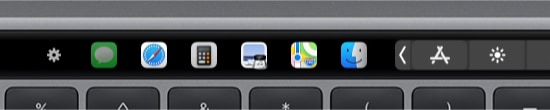
The app switcher for the Touch Bar got updated for macOS Tahoe and Liquid Glass. Now requires macOS 12, the last macOS version supported by every Mac with a Touch Bar.
Learn More →
The app for running scripts and commands with keyboard shortcuts or from the menu bar, now updated for macOS Tahoe and Liquid Glass.
Learn More →
“What HazeOver does is highlight the active window by dimming all background windows. That’s it. But it does this simple task with aplomb, and it makes a significant difference in the day-to-day usability of MacOS. Not just MacOS 26 Tahoe — all recent versions of MacOS suffer from a design that makes it difficult to distinguish, instantly, the frontmost (a.k.a. key) window from background windows. Making all background windows a little dimmer makes a notable difference.”
— John Gruber
Learn More →
HazeOver 1.9.6 + macOS Sequoia & Localization Updates

I like working with different languages. I speak English, Russian and Spanish, a bit of Japanese and can understand some German. Localizing an app is challenging but rewarding. That’s why HazeOver has supported multiple languages from the get go.
Over the years HazeOver has been localized into 33 languages with help from professional translators and regular users. But as changes are made and features are added, some text became out of date. Now the localization should be complete, including updates to the home and help pages in 24 languages.
Please let me know if you find mistakes or typos.

HazeOver Featured by Apple in App Store Stories
- What’s New in macOS Ventura — Take Focus Further
“macOS Ventura is here, bringing fresh ways to boost your productivity and creativity. Check out a few of its coolest new features—along with apps and games to get the most out of them.”
“Whether you’re working, playing, or spending time with family, setting up a Focus is a great way to establish boundaries. With the new Focus filters in macOS Ventura, apps can customize what you see based on the Focus you’ve enabled.”
- Get More Done With Shortcuts! — Manage Your Mac
“By letting you automate frequent or cumbersome tasks, Shortcuts has become a productivity favorite on Mac. […] Check out these Mac favorites that work with Shortcuts”
- Snap Screenshots Like a Pro — Highlight the important window
“HazeOver dims all but the top window to help you focus while working. Use it for a professional look when making screen captures and recordings.”

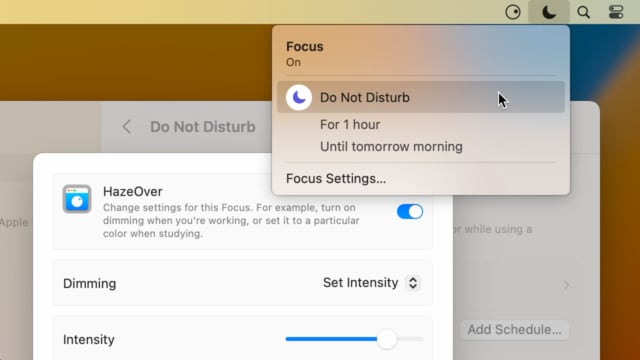
Set up a Focus Filter to toggle HazeOver dimming or set its intensity and color automatically depending on which Focus mode you have activated. For example, you could have dimming turned on when switching to a Work focus or get it set to a particular color when studying.
Read the Automation Guide for details and inspiration.
Learn More →
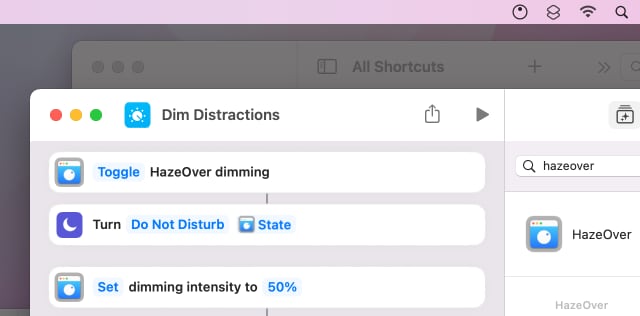
Control HazeOver dimming state and settings with Shortcuts app on macOS Monterey. Combine with other apps and settings to set up your perfect environment. For example, you can turn on HazeOver, Dark Mode, and Do Not Disturb with a single keyboard shortcut. On all macOS versions you can use AppleScript.
Read the Automation Guide for details and inspiration.
Learn More →
HazeOver 1.8.6 + Light/Dark Settings
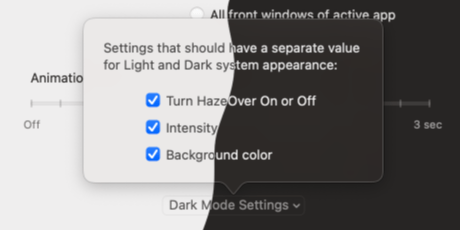
New: Dynamic settings for Light and Dark system appearance.
Dimming settings can be set to change automatically when using Auto Appearance on macOS Catalina (System Preferences > General). For example, dimming can switch on along with Dark Mode. Or have different dimming intensity and color when using the light appearance.
Such settings will be saved and applied independently for Dark and Light appearance. See HazeOver Preferences > Advanced > Dark Mode Settings.
Κριτικές πελατών: 
Βασισμένο σε 3064 πρόσφατες αξιολογήσεις και κριτικές από το Mac App Store παγκοσμίως
A permanent addition to my desktop
This program has redefined what I view as “comfortable” on my desktop, and it has become a permanent resident on my status bar. I rarely disable it, but love the fact that I can quickly and easily do so using the taskbar icon. It does exactly what it says. Five stars.
Better is use than theory
You don’t know how nice this is until you use it. It really does make concentrating on the given window easier; and yes, you always know what window you’re on. Glad I got this, highly recommend it.
Brilliantly Simple
App that makes you go, “Where have you been all my Mac life?”
Worth the money, worth the time
This app has definitely helped with making my productive life easier. Let me tell you that it little popups are an annoyance to you, then this app will definitely help you concentrate on one thing at a time. It is now in my must-have list and should be in yours too!